
Random Letter Generator
Tap the button to generate a random letter (A–Z) instantly.
Stuck choosing a letter for a game, classroom activity, or creative idea?
With our Random Letter Generator tool, you can pick 1 to 5 random letters from A to Z using a single tap. Choose from options: All letters, Vowels, or Consonants. Pick the classic spinning Letter Spinner or the color Wheel style. Toggle voice announcements, adjust animation speed, and save your preferences for next time. The tool works on any device without any kind of sign-up.
It’s designed for games, learning, teaching, and fun group activities — perfect for classrooms, party games, creative writing, and coding practice. If you are just starting out, follow the steps in the how to use section to get the ball rolling.
What Is a Random Letter Generator?
A random letter generator is a tool that selects one or more letters from the alphabet using a fair and automated process. It gives every letter an equal chance of selection, making it useful for games, classroom activities, creative writing, and decision-making. These applications are explained further in the common use cases section.
Our generator goes further. You can generate up to 5 letters at once, filter by All / Vowels / Consonants, exclude specific letters, hear them announced aloud, and track your recent history — all from one clean, accessible interface.
Our advanced generator also includes accessibility features — for example, the Speak option reads the selected letter(s) aloud, which can help learners with pronunciation and classroom participation.
Supported Letters and Alphabets
The Random Letter Generator currently supports the English alphabet (A–Z) with the power to generate a letter on a single click. It is an ideal tool for games and classroom learning activities that rely on random alphabet letter generation.
English Alphabet (A–Z)
Using our tool, users can generate random letters from the English alphabet (A–Z) in three Type modes: All letters (26), Vowels only (A, E, I, O, U), or Consonants only (21 letters). All letters are uppercase by default, and the user can switch to lowercase or mixed case in the Settings dialogue.
Other Languages (Future Scope)
Our current focus is the English alphabet. Future updates will add support for other language alphabets and more letter sets.
Is the Random Letter Generator Truly Random?
Yes. Each time you tap ‘Generate Letter’, the tool selects from the active pool (All, Vowels, or Consonants, minus any excluded letters), giving every eligible letter an equal chance. When generating multiple letters with ‘Unique in set’ on, no letter repeats within that draw, keeping results fair and varied.
The selection process has been fully automated, making it totally unpredictable for users. This makes the tool suitable for decision-making tasks that demand fairness and a surprise element.
For more questions, you can find quick answers in the FAQs section.
How to Use the Random Letter Generator?
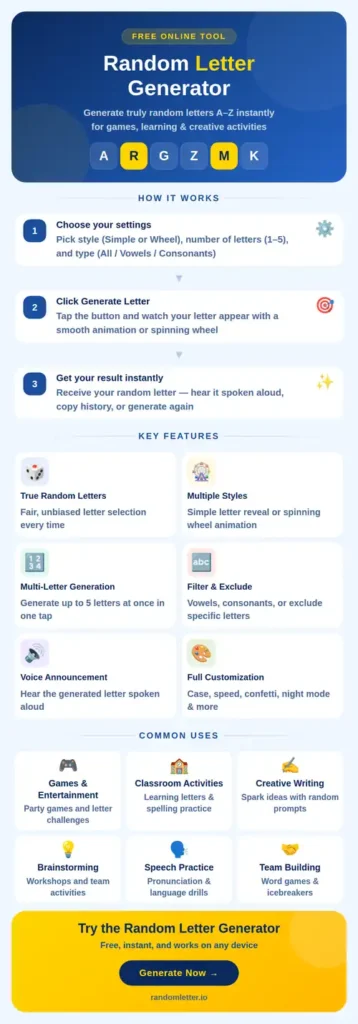
Using the Random Letter Generator is quick and simple — no setup or technical knowledge is needed. Follow the steps below to make the most of every feature.
How-To Guide / How-To Steps
- Choose how many letters — Select 1, 2, 3, 4, or 5 using the Letters control. The tool generates that many letters in one go.
- Choose a Type — Select All (A–Z), Vowels (A, E, I, O, U), or Consonants to control which letters are in the pool.
- Choose a Style — Simple spins the letter picker; Wheel spins a colored canvas wheel. Wheel is available when Letters = 1, Type = All, and no letters are excluded.
- Tap Generate Letter — Your letter(s) appear with animation. Results are added to the History bar automatically.
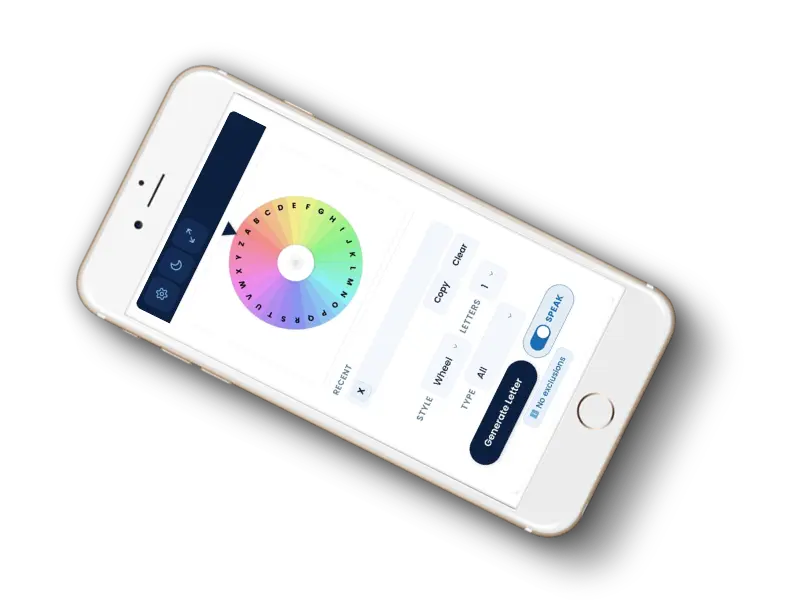
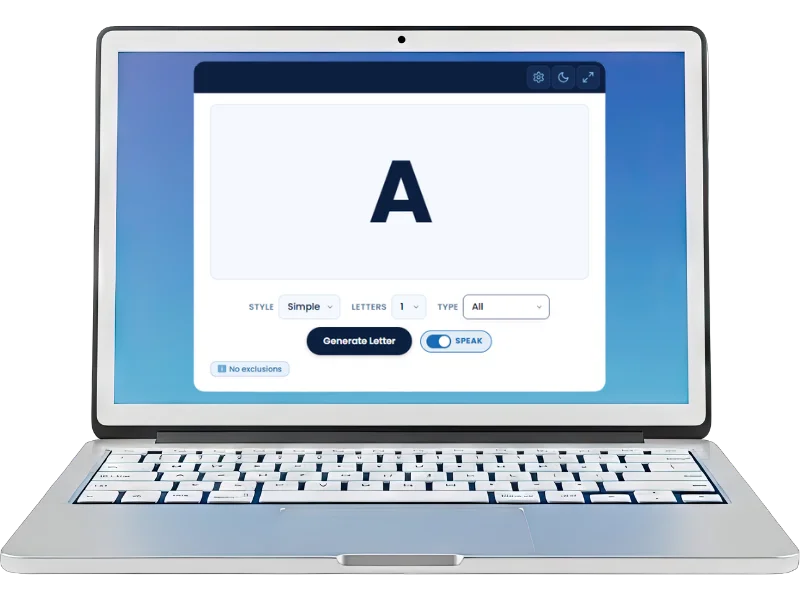
- Enable Speak (optional) — Toggle Speak to have the generated letter(s) announced aloud. Great for classrooms activities and phonics practice.
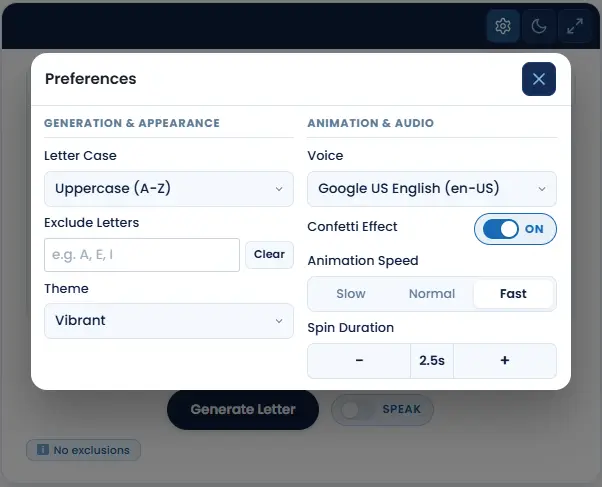
- Customize in Settings — Tap the gear icon to open Settings. Adjust letter case, theme, animation speed, spin duration, confetti, voice, and excluded letters.
- View History — The last 10 results appear as chips below the tool. Use Copy to copy them all, or Clear to reset.
- Try Night Mode or Fullscreen — Use the moon icon for dark mode, or the expand icon to fill your screen (great for classroom projection).
If you have any questions, you can find quick answers in the Frequently Asked Questions section.
Customized Settings / Preferences
Tap the gear icon at the top of the tool to open Settings to customize the Letter Spinner or Alphabet Wheel. You can adjust:
- Letter Case — Uppercase (A–Z), Lowercase (a–z), or Mixed (alternating)
- Theme — Vibrant, Soft (pastel), or Minimal (grey/white wheel)
- Exclude Letters — Type any letters to remove them from the pool
- Confetti Effect — Toggle the celebratory confetti animation on or off
- Voice — Choose from available text-to-speech voices on your device
- Animation Speed — Slow, Normal, or Fast
- Spin Duration — Adjustable from 0.5s to 5.0s in 0.1-second steps
Night Mode & Full Screen View
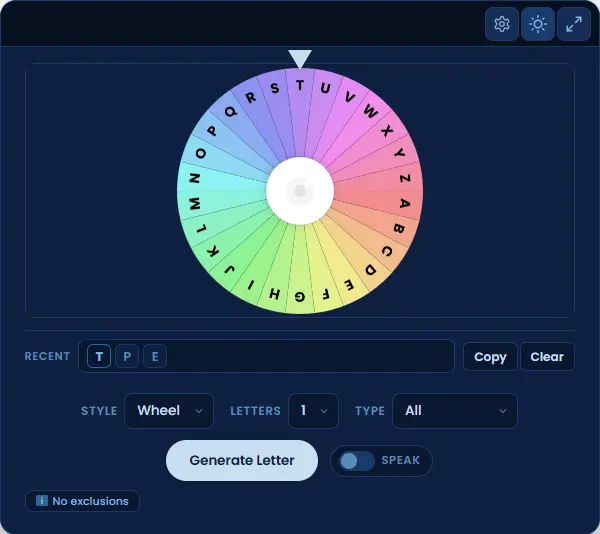
The moon icon in the top bar switches the tool to a deep navy dark theme — easy on the eyes in low-light environments.
The double-arrow icon expands the tool to fill your screen, ideal for classroom projection or group games. Tap again to return to normal view.
Common Use Cases for Random Letters
A Random Letter generated by a Wheel of Letters or an Alphabet Letter Spinner can be used in a number of activities, like learning, teaching, playing games, or working on creative ideas. A randomly generated letter helps you keep the activity fair, engaging, and full of surprise.

Games & Entertainment
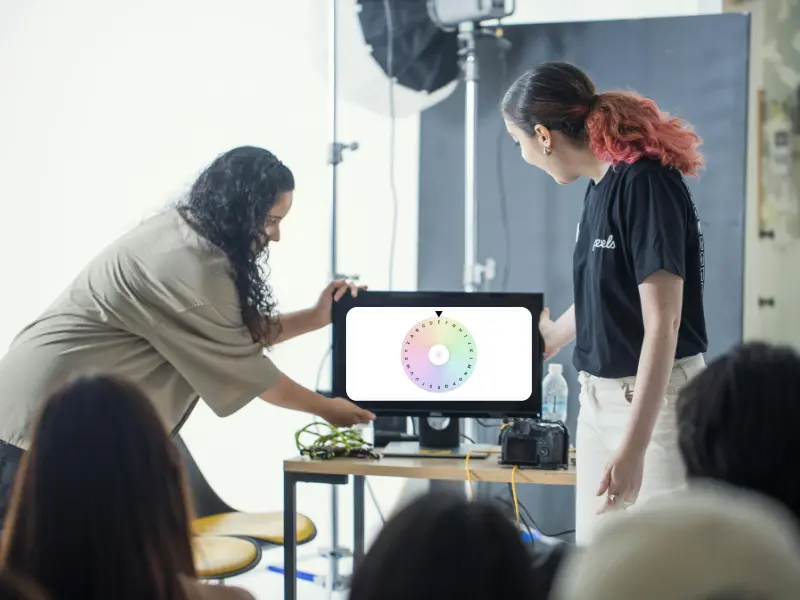
Random letters are commonly needed in word games and other party activities and competitions. Participants can choose a random letter using an alphabet spinner or wheel, using it like a letter roulette to start a word game, create spontaneous song challenges, or make any related decisions without bias. The spinning wheel or letter spinner makes the experience more engaging and exciting for the participants. With the updated tool, you can now generate up to 5 random letters in one go, which is ideal for multi-letter word games and tile-based challenges. Enable the Speak feature so the whole room hears the result the moment it lands.

Education & Classroom Use
Generating a random letter is useful for teachers and students in visual learning and phonics practice. It also helps in alphabet-based word learning and spelling exercises. The optional Speak Generated Letter feature allows students to hear the correct pronunciation of each letter, supporting auditory learning and early education. Use Vowels Only mode for early reading activities, or Consonants Only for blending and phonics exercises. Project the tool in full-screen mode so the entire class can see the result clearly without crowding around a screen.

Creative Writing & Brainstorming
A random word letter generator can be used to spark the creativity of writers and creators. Especially when facing writer’s block, the generated letter can help to start a story, form character names, or inspire new ideas. Random selection removes overthinking and encourages fresh thinking. Generate 3 to 5 letters at once for acronym-based prompts, story starters, or creative constraints that push your writing in unexpected directions.
Professional & Technical Use
Use Random letters in the alphabet are also useful during professional training and skill-building exercises. To keep participants engaged through an element of surprise, these random letters can be used in selecting topics, memory games, and problem-solving tasks. Developers and testers also use random letter generators for generating test strings, placeholder data, and algorithm demonstrations. The Consonants Only and Vowels Only modes are especially useful for generating pronounceable test inputs that can be easy to remember while performing live product demos.

Phonics & Language Learning
A random letter generator is a practical tool for language learners and phonics students at any level. Select Vowels Only to focus drills on the five core vowels, or switch to Consonants Only for targeted consonant recognition practice. The Speak feature reads each generated letter aloud using your device’s text-to-speech voice, which allows the learners to hear the correct sound instantly without needing a teacher’s assistance. This feature is suitable situations like self-study sessions, guided reading groups, and early education classrooms.

Decision Making
Random letters are a simple and fair way to make unbiased decisions in group settings. Assign a letter to each option, team, or topic and then generate a result to let chance decide. It can be used in classrooms for grouping students, in offices for selecting presentation topics, and in games for assigning roles or categories. The tool’s instant generation and optional voice announcement make the result clear to everyone in the room at once.
Frequently Asked Questions
Final Thoughts
The Random Letter Generator is a simple yet powerful tool that generates random letters with fairness and speed. Whether you need a single letter or a set of five, want vowels only, or need to exclude specific letters — it’s all here, ready in one tap. It can streamline your decision-making during group random letter games and learning activities.
Do you find this tool effective? If so, don’t forget to bookmark (Ctrl + D on Windows or Cmd + D on Mac) and share it with your family and friends.
For comments or feedback, use the Contact Us page.